
Your channel stays live while you sleep. You choose how it looks.
10 free hours · No card · Pay by UPI
Upload your videos once, or stream from your phone. We keep it on air from our servers around the clock, with now playing, the clock and what’s next on screen. Your PC can be off. Send it to YouTube, Facebook, Twitch and Kick, several at once.
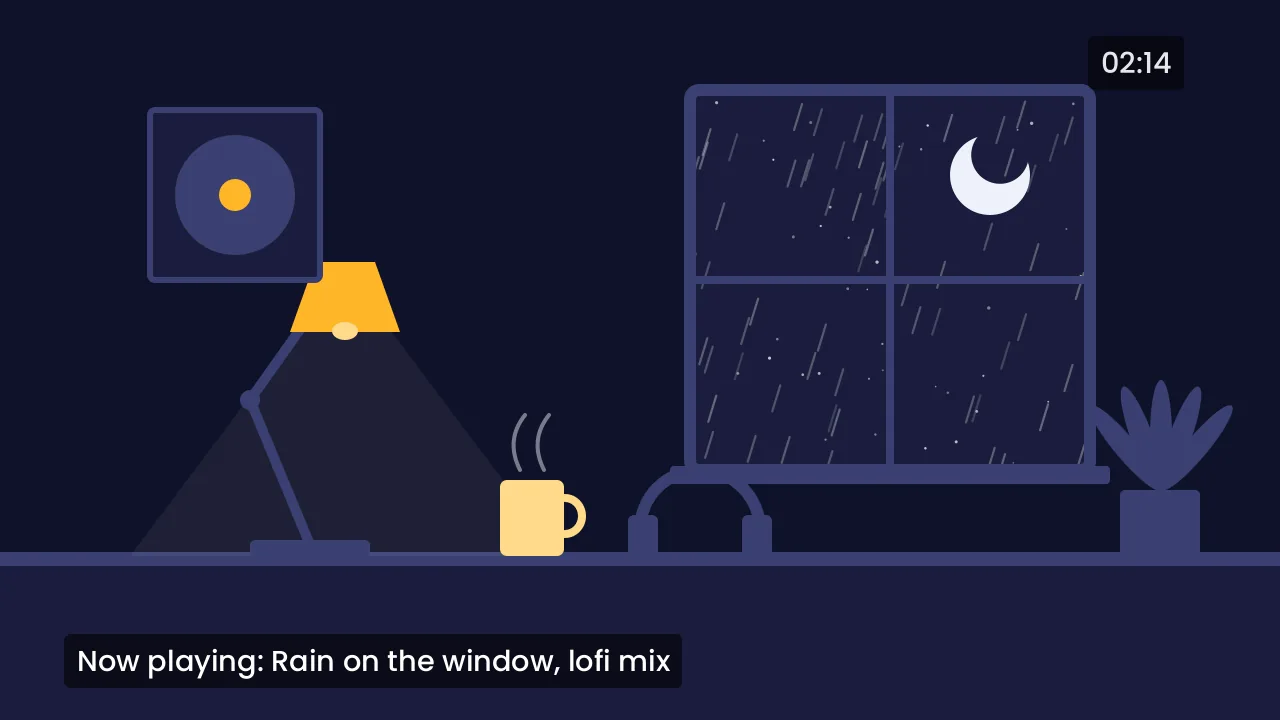 Example
Rainy night lofi, live 24/7
An example. The words on screen are the Lofi and chill template, drawn by AFK Live.
What’s your channel?
Lofi and music channels
- Your playlist loops with no gaps, shuffled, one song blending into the next.
- Now playing and a small clock in the corner, added for you.
- Change the playlist while you’re live. Viewers never see a drop.
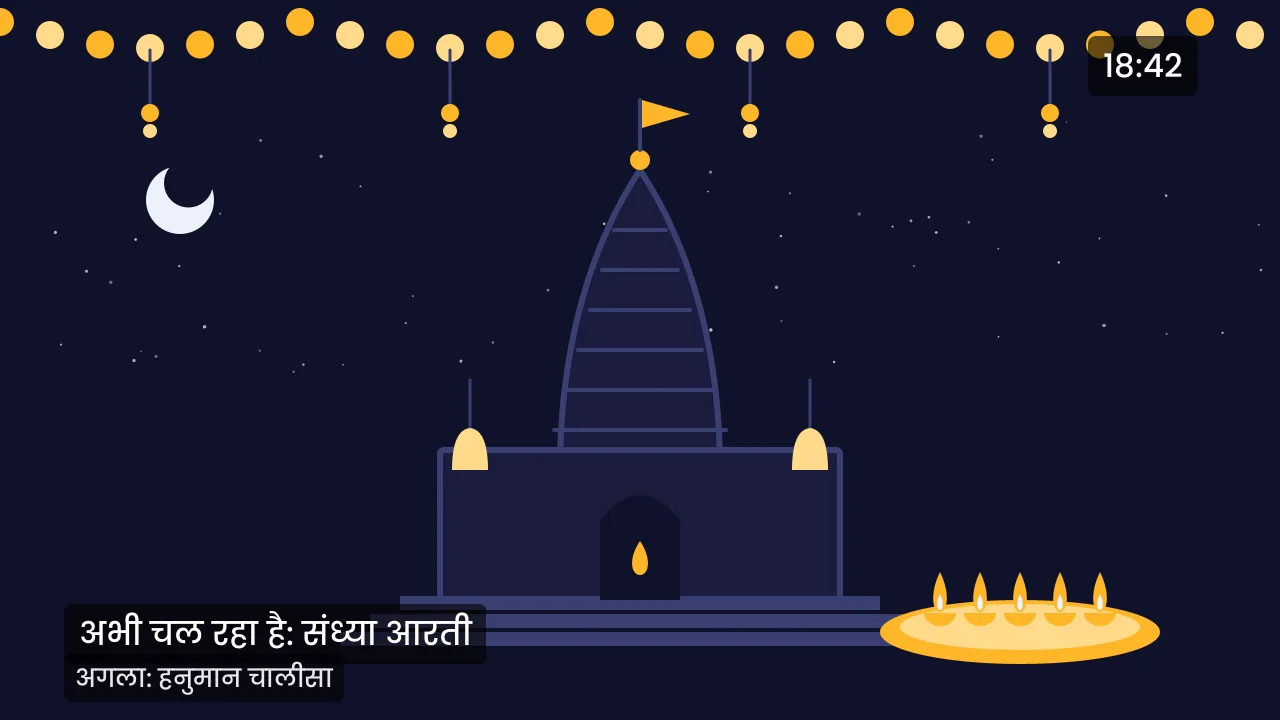
Temples, bhajans and aarti
- Aarti at fixed times on its own schedule: morning and evening, every day. We start and stop it.
- Now playing and what’s next in Hindi or English, with the clock in your time zone.
- Your order is kept, so the aarti sequence plays as it should.
Mobile gamers
- No 50-subscriber wait. YouTube’s own app needs 50 subscribers to go live from a phone; streaming through AFK Live doesn’t.
- Your clock, logo and scenes are added in the cloud, so your phone only pays for the game.
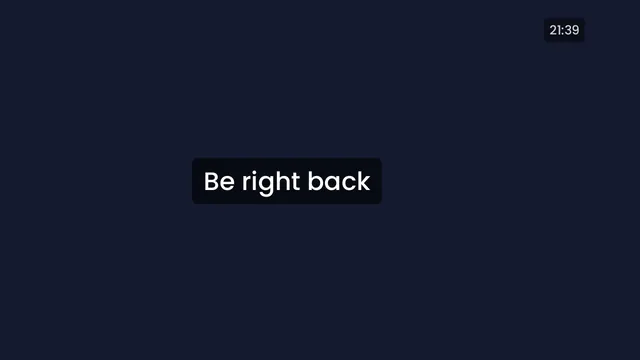
- Signal drops? Viewers see Be right back with music, and you’re back the moment your phone reconnects.
Podcasts and reruns
- Past episodes keep your channel live between new ones.
- Now playing and up next show which episode is on.
- Premiere a new episode at a set time. We start and stop it.
Study, sleep and ambience
- A big clock to study by, or a dim one that won’t light up a dark room.
- Calm music shuffled, with long blends between tracks.
- Live during study hours or every night, on a schedule you set once.
Leaving your PC on costs more than you think
Streaming 24/7 from OBS means a PC that never sleeps. Here’s the electricity, worked out with numbers you can change.
- A power cut ends your stream until someone is home to start it again.
- When the internet drops, YouTube ends the broadcast after about a minute. The next one has a new link, and its likes and viewers start again from zero.
- Updates restart the PC at night, and the stream doesn’t come back on its own.
My PC uses watts, it’s on hours a day, and power costs a unit.
- PC on, electricity a month
- ₹864
- AFK Live Creator, PC off
- ₹499 / month
That’s ₹365 a month more than Creator, before the PC itself wears out.
How it’s worked out: 150 W × 24 h × 30 days ÷ 1000 = 108 units × ₹8 = ₹864. A desktop running OBS and a browser usually draws 100 to 250 watts; a gaming PC more. Most Indian home tariffs are ₹5 to ₹10 a unit at the higher slabs: check your bill.
Live in three steps
-
1Upload your videos
Once. Big files are fine, up to 10 GB each. Add music to play under them if you like.
-
2Or scan one code on your phone
Streaming from your phone? Scan the code into a free streaming app. Nothing to type.
-
3Press Go live
Copy your key from YouTube Studio once. Your channel shows as live, and stays live.

Need a hand with YouTube Studio? Where to find your key.
Built for the hours nobody’s watching it
An example night, with the things that really go wrong, and what AFK Live does about each.
-
You go to sleep
Your stream is live on our servers. There’s nothing to keep open.
-
A server fails
Another one picks up your stream within a minute, from where it was. If YouTube drops the connection, we reconnect on our own.
-
We ship an update
Your stream moves to the new version without going off air.
-
Your phone loses signal
On a phone stream, viewers see Be right back with music, and you’re back the moment it reconnects.
-
You wake up
An email only if something was down for more than a minute, and another when it was back. Not one every minute.
Simple pricing
Start free. Upgrade when you want 1080p, unlimited hours or more channels. Pay by UPI or card.
-
Free
Try it with a real stream.
Free
- 1 stream at once
- Up to 720p at 30 fps
- 10 hours a month
- 1 destination per stream
- 2 GB of storage
- Small AFK Live mark on stream
-
Creator Most picked
One channel, live around the clock.
₹499 / month
- 1 stream at once
- Up to 1080p at 30 fps
- Unlimited hours, 24/7
- 2 destinations per stream
- 25 GB of storage
- No watermark
-
Pro
Several channels, or 60 fps gaming.
₹1,499 / month
- 3 streams at once
- Up to 1080p at 60 fps
- Unlimited hours, 24/7
- 5 destinations per stream
- 100 GB of storage
- No watermark
-
Agency
Run streams for clients.
₹3,999 / month
- 10 streams at once
- Up to 4K at 60 fps
- Unlimited hours, 24/7
- 5 destinations per stream
- 500 GB of storage
- No watermark
Priced by how many streams run at the same time. Indian prices include GST, with a GST invoice for every payment. Pay by UPI or card.
Channels that stay live with AFK Live
Questions people ask first
Is a 24/7 live allowed on YouTube?
Yes. No YouTube rule bans looped or pre-recorded lives. YouTube does ask that content isn’t repetitive or mass-produced, so give your stream variety: several videos shuffled, with now playing on screen. Loops and YouTube’s rules
Will my channel get monetised?
We can’t promise that, and nobody honestly can: YouTube decides, by its own rules. A stream that stays up keeps collecting watch time; what you stream decides the rest. What YouTube looks for
Can I use any music?
Use music you made, or music licensed for live streams. A copyrighted song can get your live interrupted, even with a licence, unless the owner has cleared your channel. No tool can tell you in advance whether a song will be claimed. Music on your live
Do I need to keep a PC on?
No. Your videos are on our servers and stream from there, so you can close your laptop. For a phone stream, your phone sends the camera and we add the rest.
What if my phone signal drops?
Viewers see your Be right back screen with music instead of the stream ending, and you’re back as soon as your phone reconnects. Go live from your phone
How do I pay?
By UPI or card, in rupees, with a GST invoice for every payment. The free plan needs no card.
